LogJammer - Easy
LogJammer - Easy
Scenario
You have been presented with the opportunity to work as a junior DFIR consultant for a big consultancy. However, they have provided a technical assessment for you to complete. The consultancy Forela-Security would like to gauge your knowledge of Windows Event Log Analysis. Please analyse and report back on the questions they have asked.
Introduction
- Ta nhận được các file sau đây:
1 2 3 4 5
.rw-rw-r-- 13M dkoazw 27 Thg 3 2023 Powershell-Operational.evtx .rw-rw-r-- 1,1M dkoazw 27 Thg 3 2023 Security.evtx .rw-rw-r-- 2,2M dkoazw 27 Thg 3 2023 System.evtx .rw-rw-r-- 1,1M dkoazw 27 Thg 3 2023 'Windows Defender-Operational.evtx' .rw-rw-r-- 1,1M dkoazw 27 Thg 3 2023 'Windows Firewall-Firewall.evtx'
- Trước tiên ta sẽ giải thích sơ qua về
evtxlà gì: thì đó là các file log của hệ điều hành Windows. Đây là các file binary nên ta phải sử dụng các công cụ khác để giải mã và đọc nó, trong bài này thì mình sử dụng cái này. - Phân loại:
Powershell-Operational.evtx: Ghi hoạt động PowerShell.Security.evtx: Ghi sự kiện bảo mật và xác thực.System.evtx: Ghi hoạt động hệ thống Windows.Windows Defender-Operational.evtx: Ghi hoạt động Microsoft Defender.Windows Firewall-Firewall.evtx: Ghi sự kiện cấu hình Windows Firewall.
Task 1: When did the cyberjunkie user first successfully log into his computer? (UTC)
- Ta sẽ tiến hành phân tích
Security.evtx. Trước tiên tiên thì nó có hàng trăm Event ID phục vụ cho nhiều mục đích khác nhau. Với câu này thì ta cần lọc ra các Event ID4624tức đăng nhập thành công: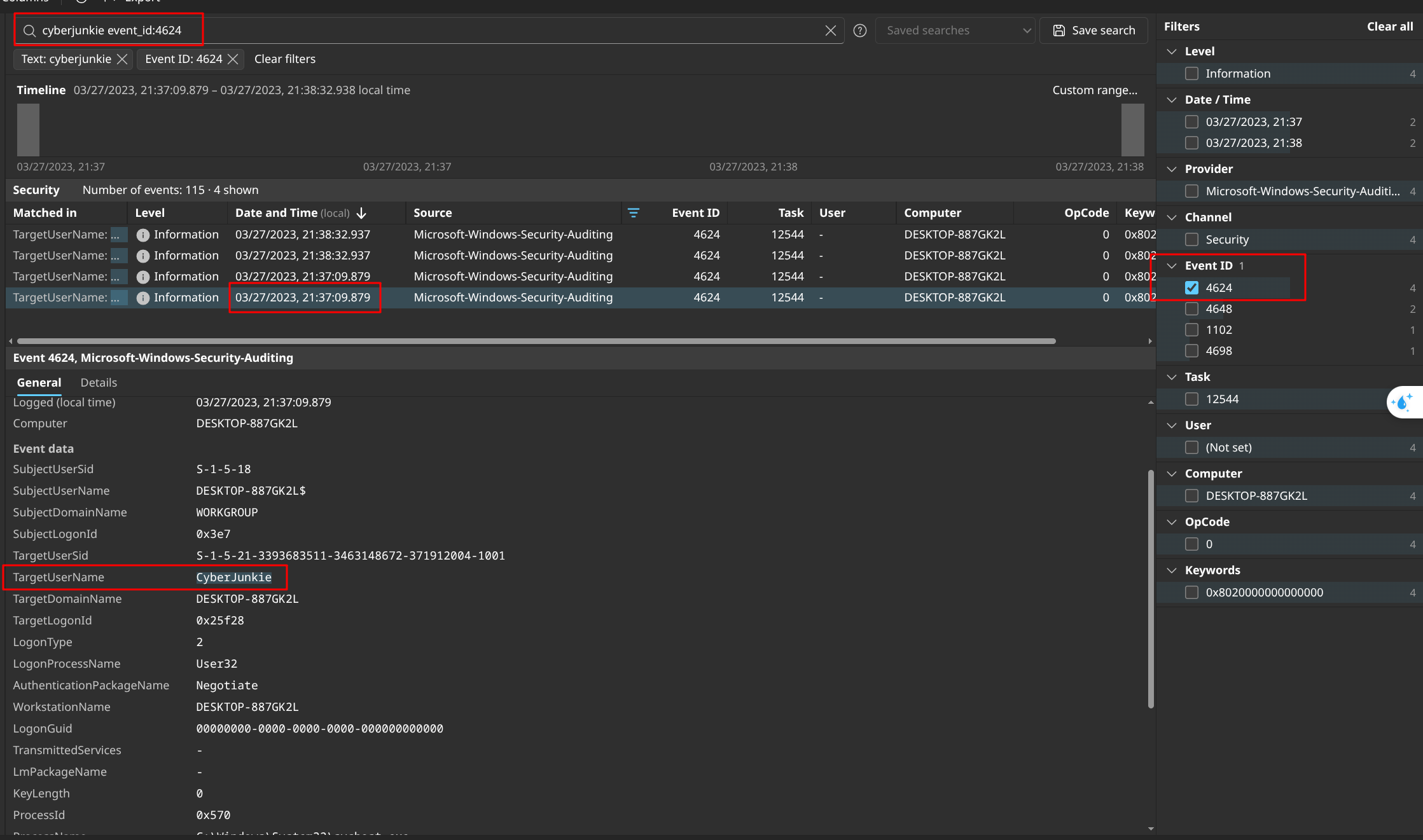
- Đáp án là:
27/03/2023 14:37:09sau khi đã chuyển đổi từ UTC+7 về UTC.
Task 2: The user tampered with firewall settings on the system. Analyze the firewall event logs to find out the Name of the firewall rule added?
- Ta sẽ tiến hành phân tích
Windows Firewall-Firewall.evtx. Và ta sẽ thực hiện lọc2004tức firewall rule được thêm: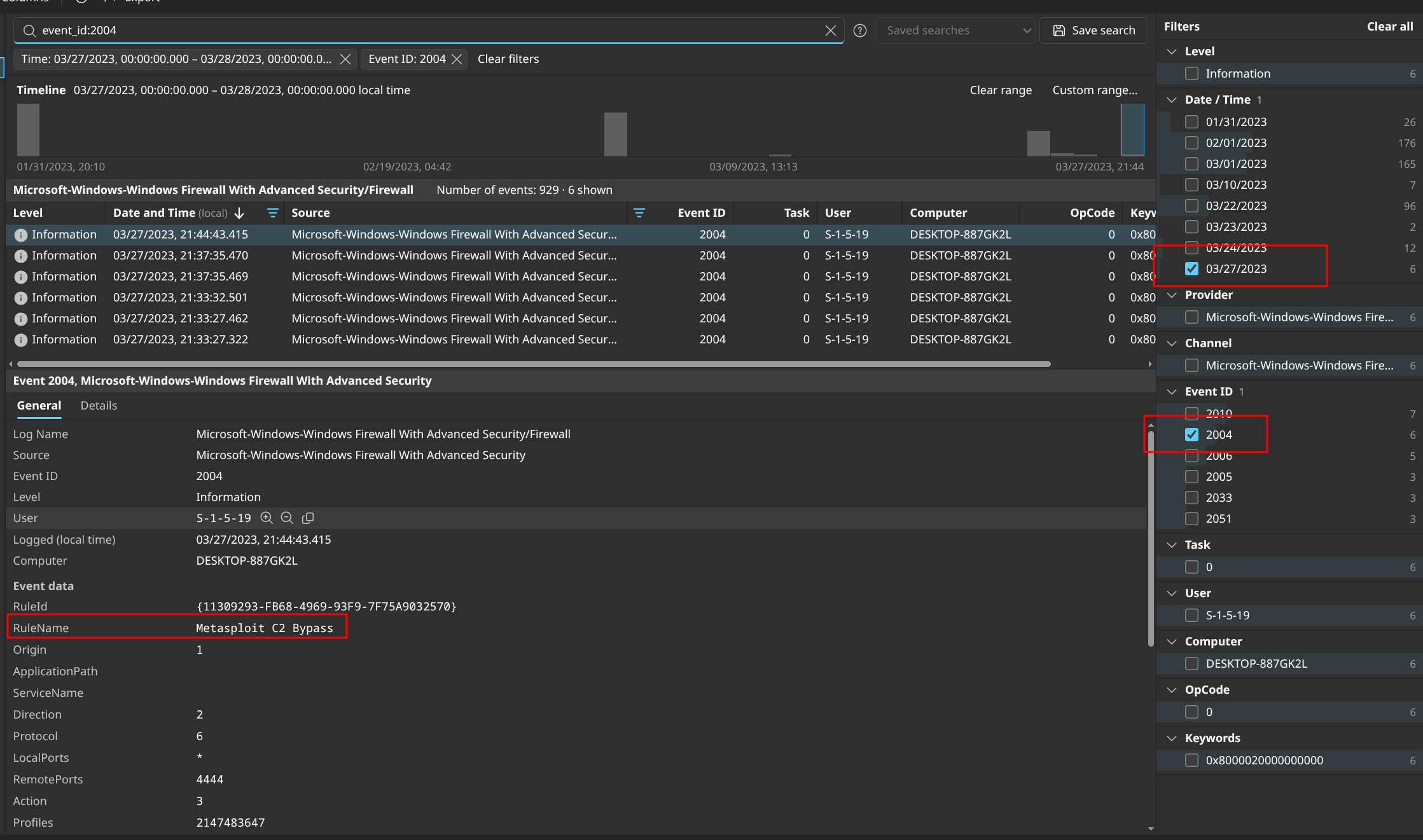
- Kể từ lúc attacker đăng nhập thành công thì có 6 hành vi 2004 và hành vi trên là cái đáng ngờ nhất.
- Đáp án là:
Metasploit C2 Bypass.
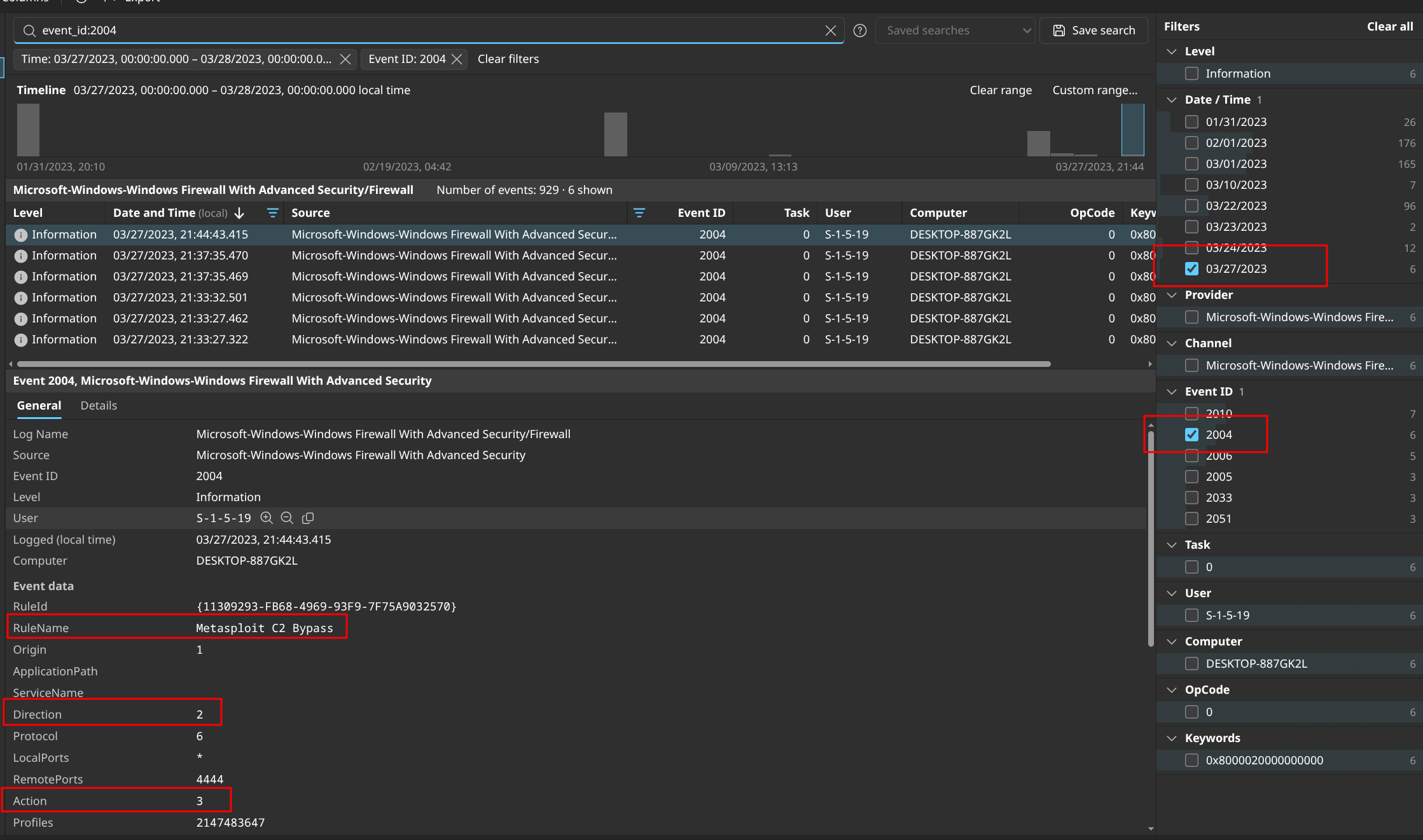
Task 3: Whats the direction of the firewall rule?
- Tiếp tục phân tích hành vi vừa đề cập:
- Đáp án là:
Outboundtức 2. - Giải thích: Direction có 2 trạng thái là 1 -
Inboundvà 2 -Outboundgiúp xác định được chiều kết nối. Đồng thời Action cũng có 2 trạng thái là 2 -blockvà 3 -allow. Vì thế nó sẽ sinh ra 4 trường hợp:- Direction 1, Action 3: cho phép kết nối từ ngoài vào.
- Direction 1, Action 2: chặn kết nối từ ngoài vào.
- Direction 2, Action 3: cho phép kết nối từ máy ra ngoài.
- Direction 2, Action 2: chặn kết nối từ máy ra ngoài.
Task 4: The user changed audit policy of the computer. Whats the Subcategory of this changed policy?
- Ta sẽ phân tích
Security.evtx. Và lọc ra Event ID là4719tức System Audit Policy bị thay đổi: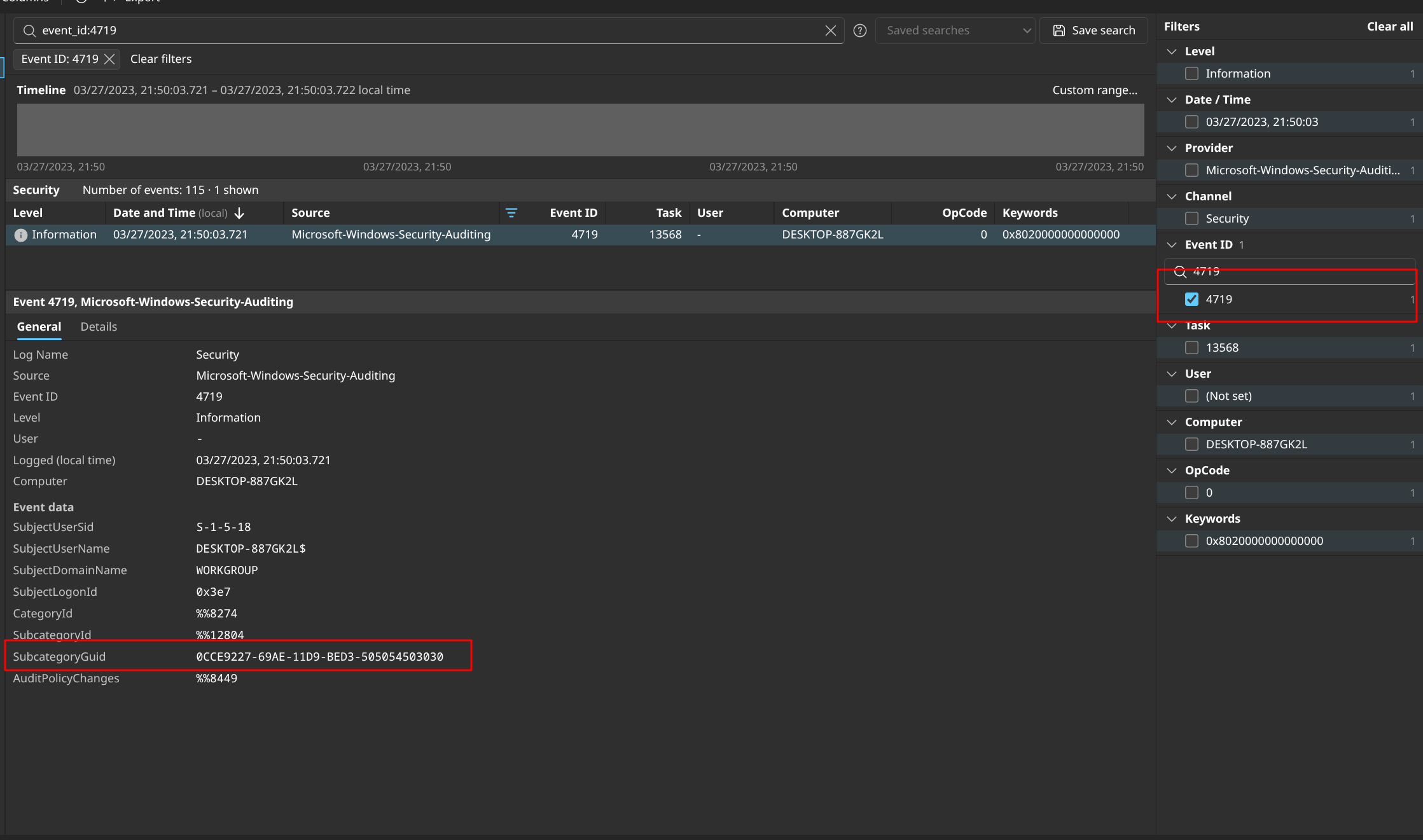
- Ta chỉ cần vào đây để tra cứu SubcategoryGUID và ra kết quả là
Other Object Access Events.
Task 5: The user “cyberjunkie” created a scheduled task. Whats the name of this task?
- Ta tiếp tục phân tích
Security.evtx. Và lọc ra Event ID là4698tức Scheduled Task được tạo: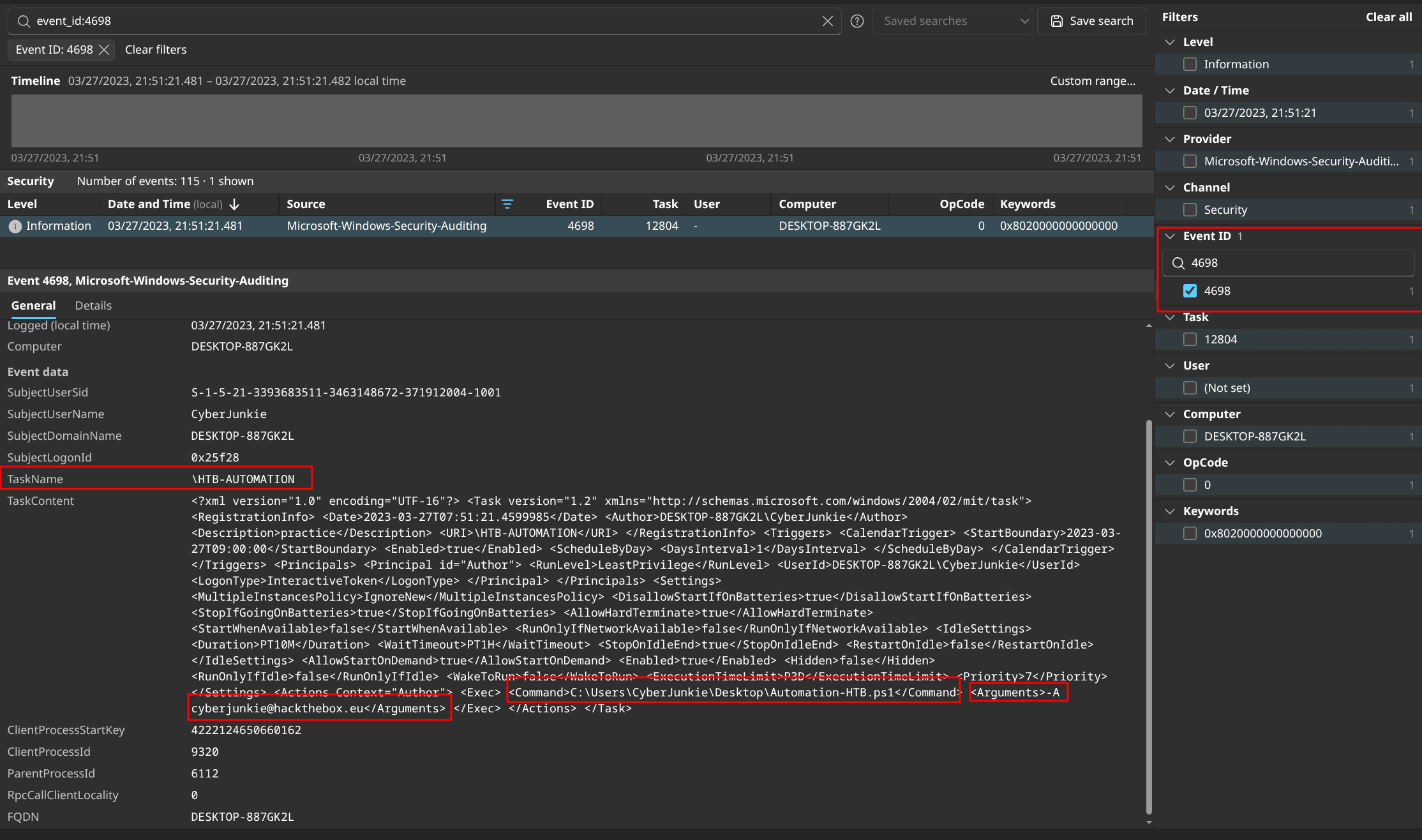
- Đáp án là:
HTB-AUTOMATION.
Task 6: Whats the full path of the file which was scheduled for the task?
- Tiếp tục phân tích log phía trên:
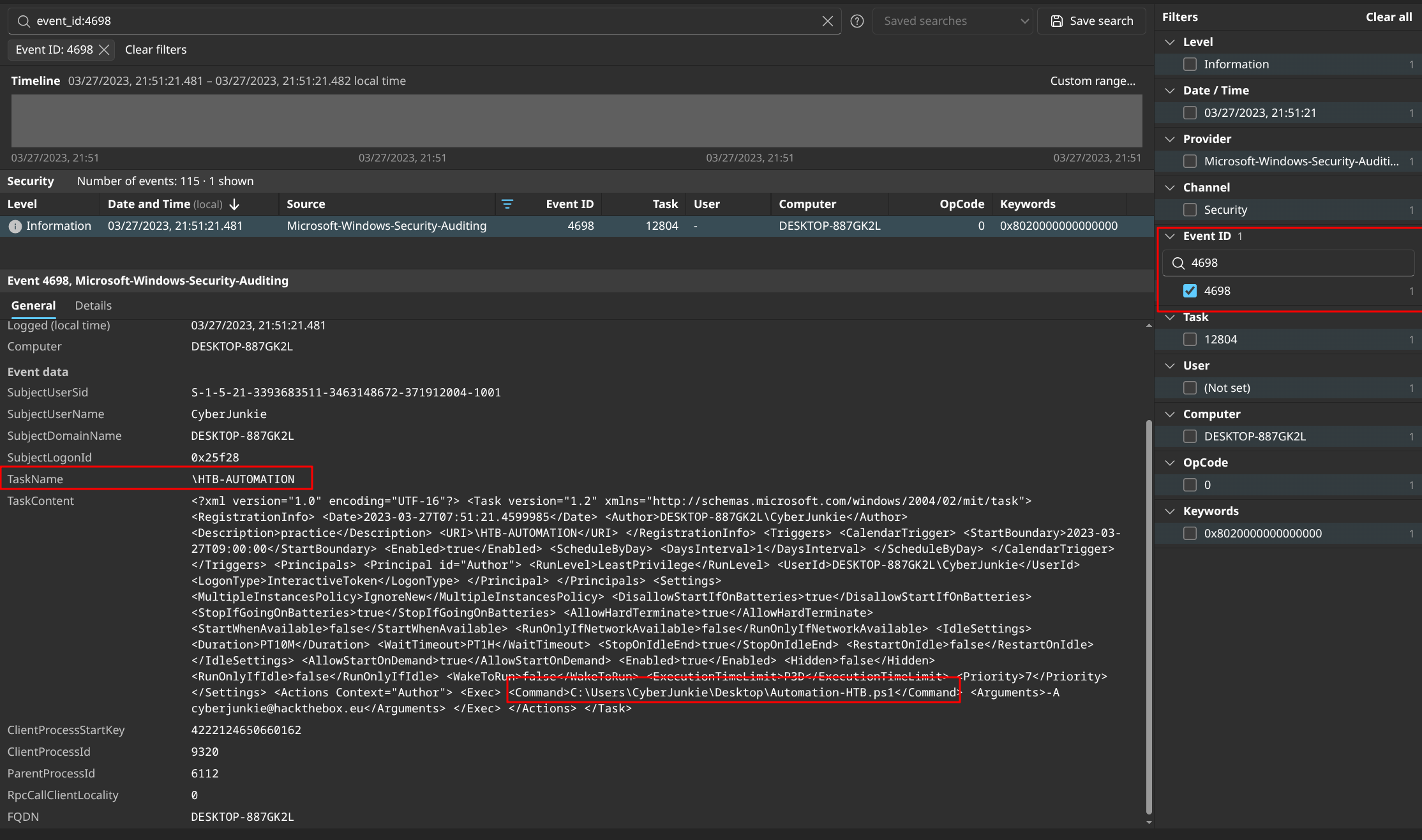
- Đáp án là:
C:\Users\CyberJunkie\Desktop\Automation-HTB.ps1
Task 7: What are the arguments of the command?
- Tiếp tục phân tích log trên:
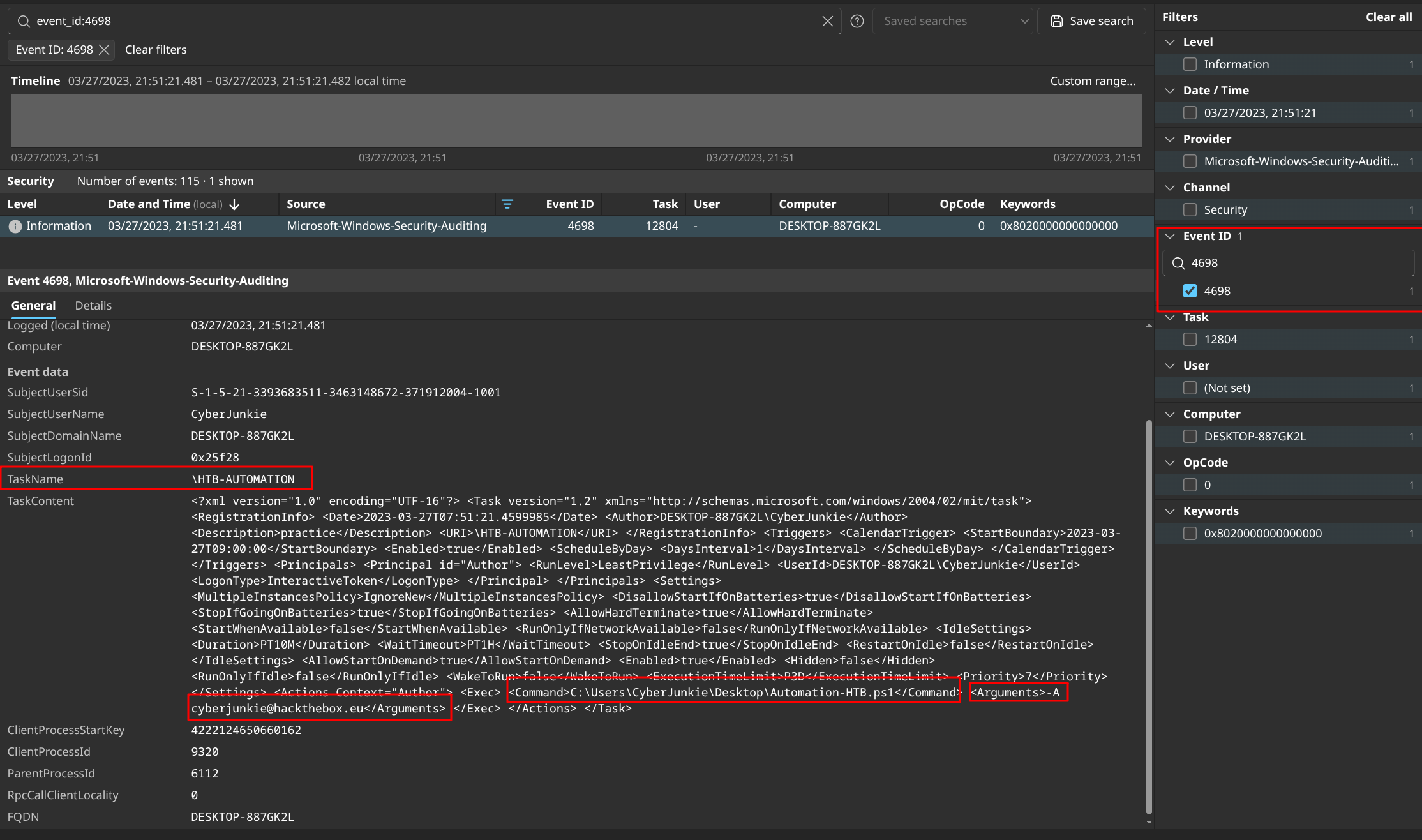
- Đáp án là:
-A cyberjunkie@hackthebox.eu.
Task 8: The antivirus running on the system identified a threat and performed actions on it. Which tool was identified as malware by antivirus?
- Ta sẽ tiến hành phân tích
Windows Defender-Operational.evtx. Ta lọc các Event ID1116tức Windows Defender phát hiện malware: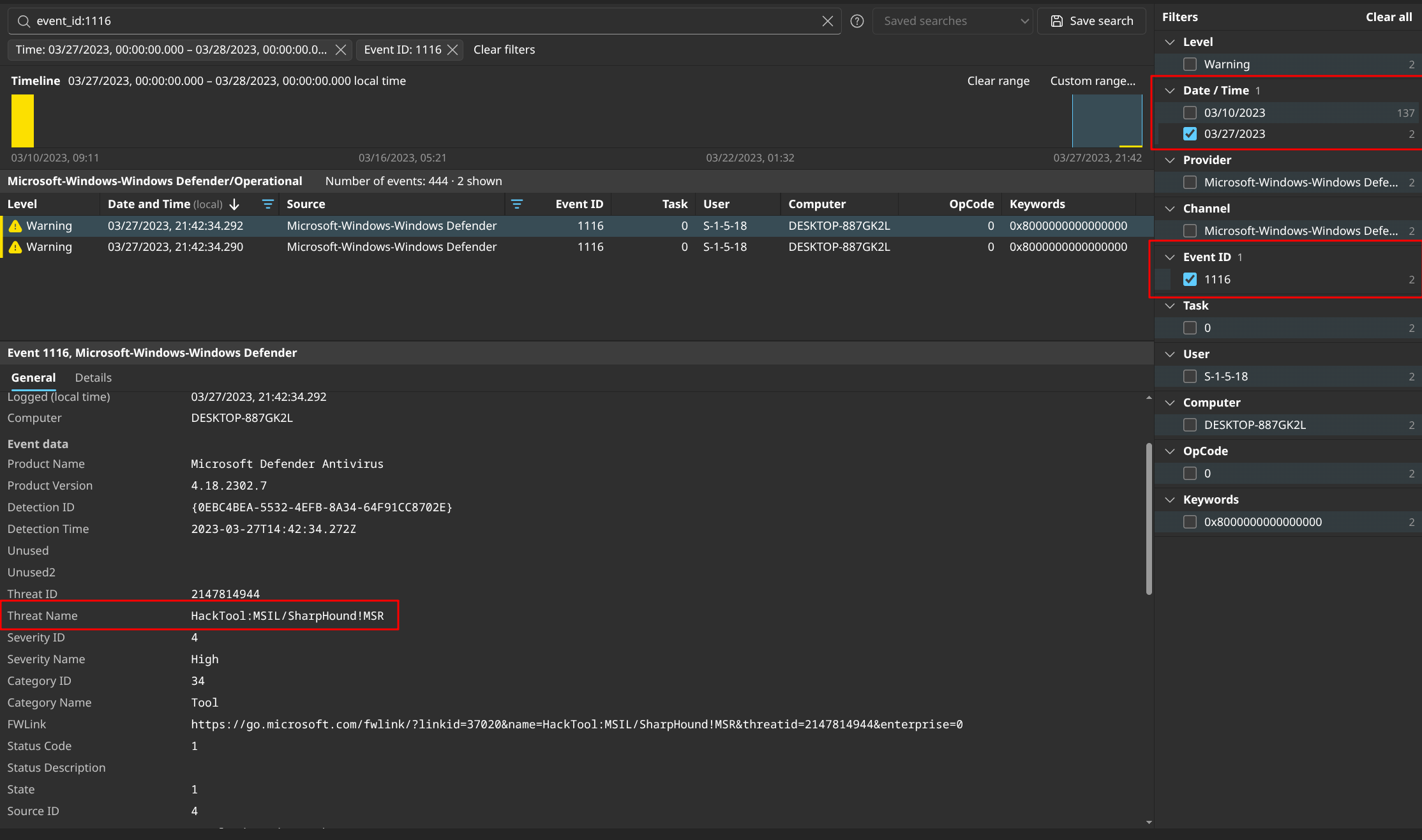
- Đáp án là:
Sharphound.
Task 9: Whats the full path of the malware which raised the alert?
- Tiếp tục phân tích log trên:
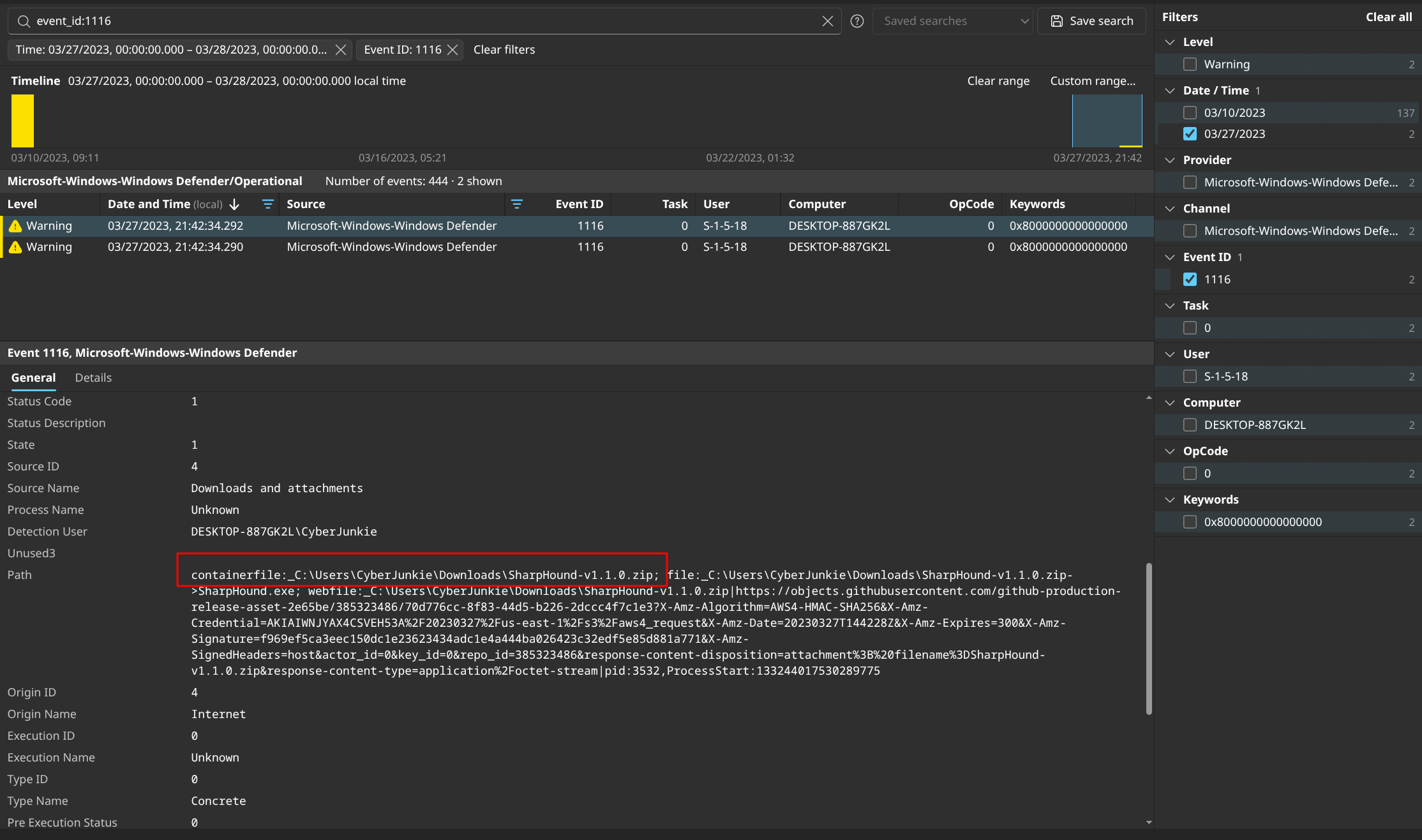
- Đáp án là:
C:\Users\CyberJunkie\Downloads\SharpHound-v1.1.0.zip.
Task 10: What action was taken by the antivirus?
- Ta sẽ lại phân tích
Windows Defender-Operational.evtx. Nhưng lần này Event ID là1117tức Windows Defender thực hiện hành động xử lý: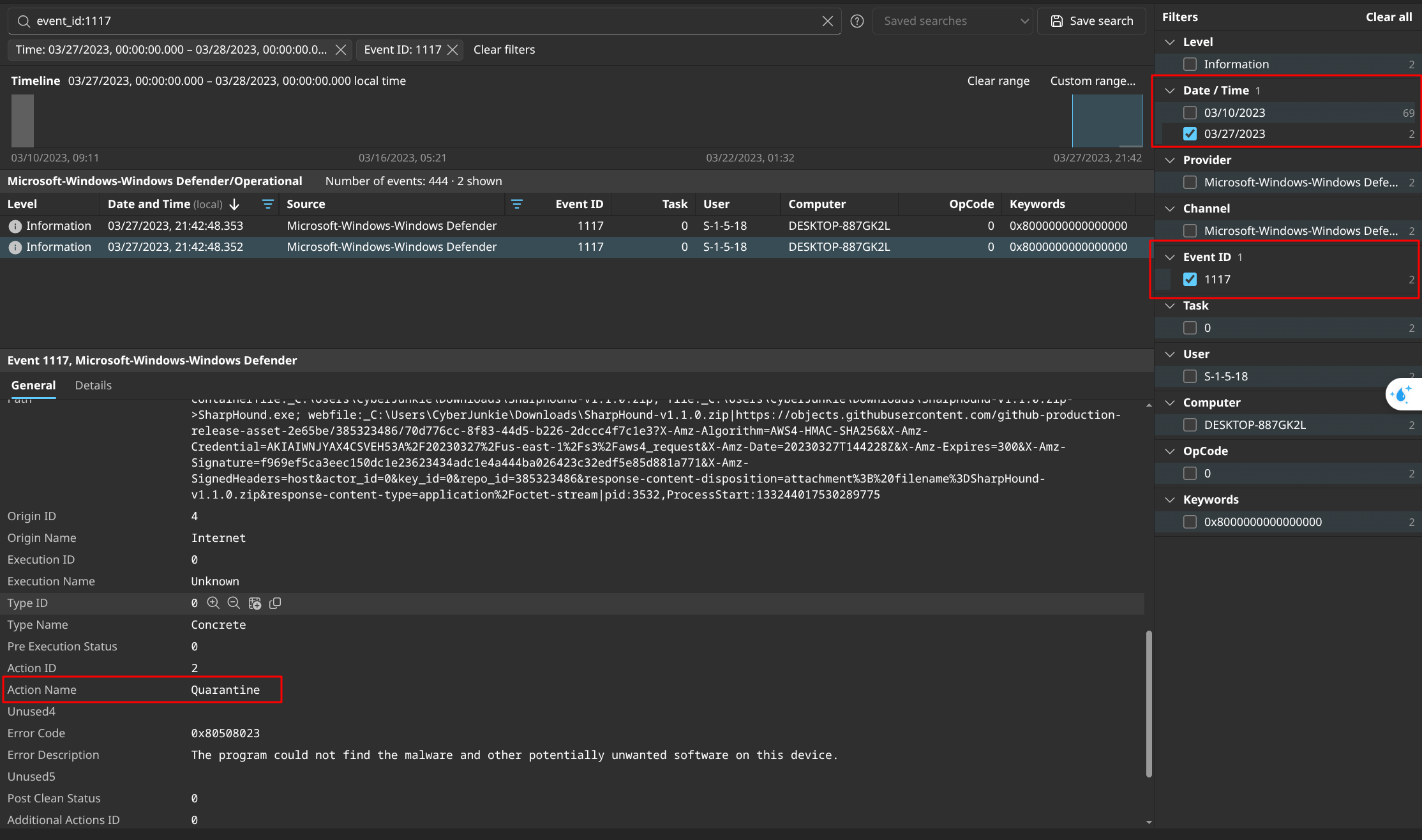
- Đáp án là:
Quarantine.
Task 11: The user used Powershell to execute commands. What command was executed by the user?
- Ta sẽ phân tích
Powershell-Operational.evtxvới Event ID là4104tức ghi lại nội dung PowerShell Script Block: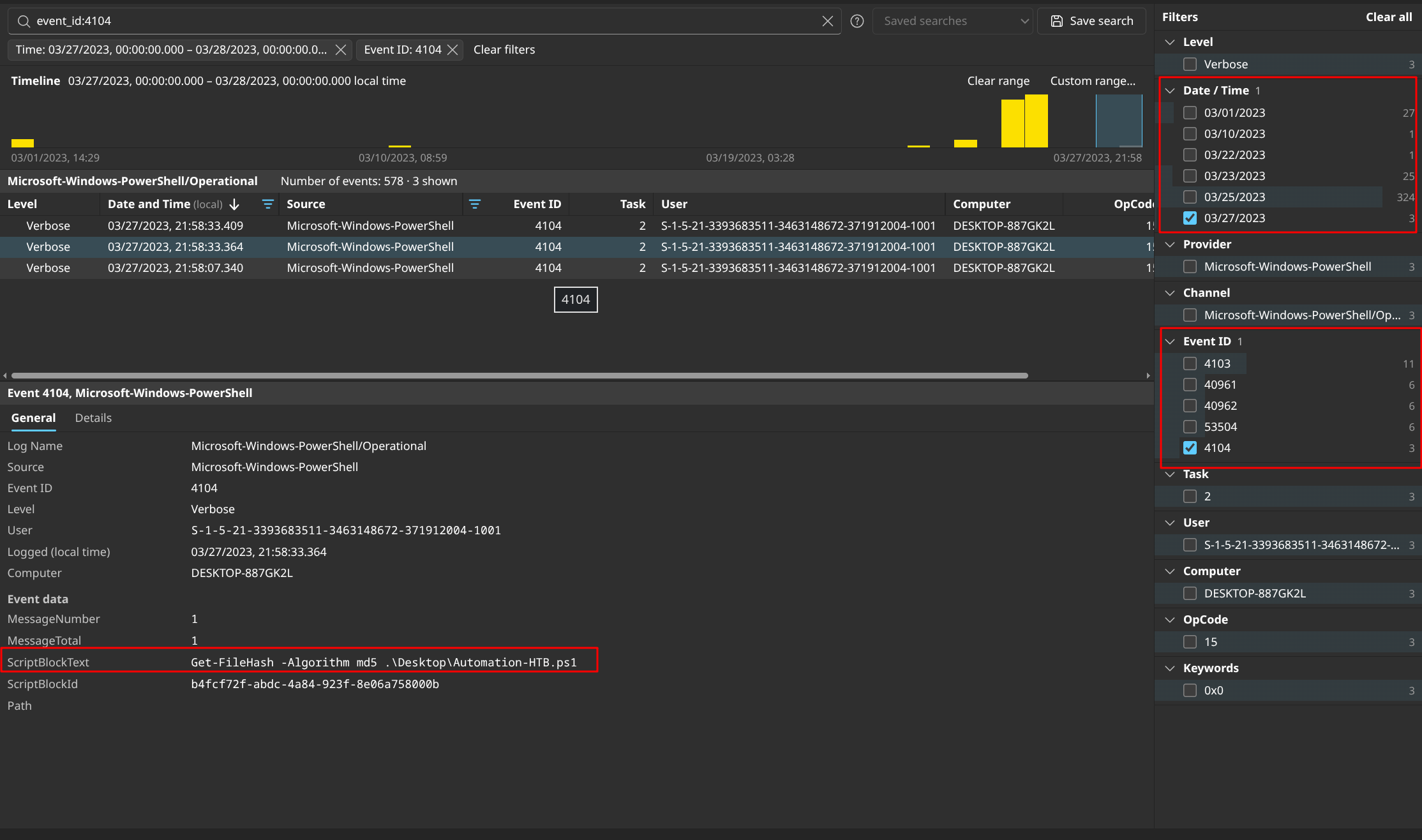
- Đây là log đáng ngờ nhất trong 3 logs ta lọc được và đáp án là :
Get-FileHash -Algorithm md5 .\Desktop\Automation-HTB.ps1.
Task 12: We suspect the user deleted some event logs. Which Event log file was cleared?
- Ta sẽ phân tích
System.evtxvới Event ID là104tức một Windows Event Log đã bị xóa: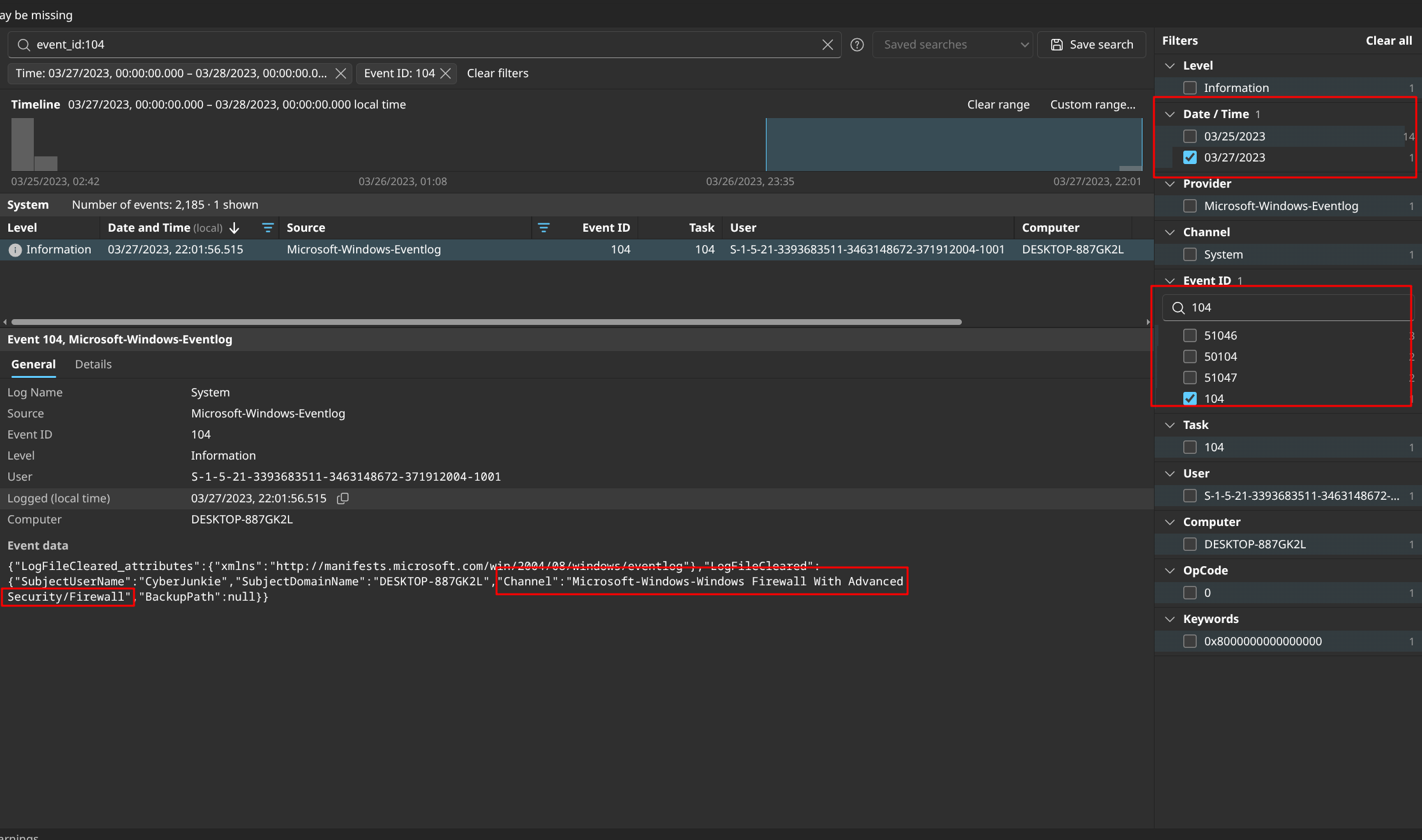
- Đáp án là:
Microsoft-Windows-Windows Firewall With Advanced Security/Firewall
End
This post is licensed under CC BY 4.0 by the author.